
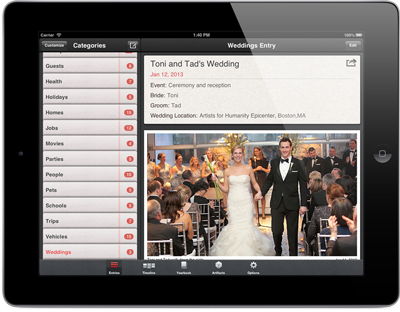
Good friends of ours were recently married and they shared their stories and a few of their favorite photos* via Timebox.
From their experience we realized that a few features of Timebox may be a bit hard to discover or unintentionally difficult to use. We hope the tips below help make Timebox easier and more fun to use.
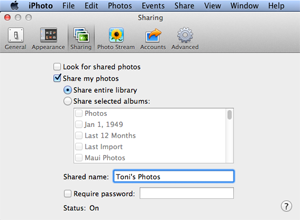
Adding photos directly from iPhoto on your Mac
If you have a lot of photos (for example, a zip file of all the photos from your wedding photographer), first add them to a folder on your Mac and then import them into iPhoto (File > Import Into Library). Then open the iPhoto Preferences dialog box (iPhoto > Preferences…), tap on Sharing and then enable “Share my photos.” You can then directly access all your photos (by iPhoto album if you like) wirelessly from your iPhone/iPad. In other words, you don’t have to sync all of them with your iOS device. Instead Timebox allows you to directly grab only the photos from iPhoto that you want when you tap Add Photos.
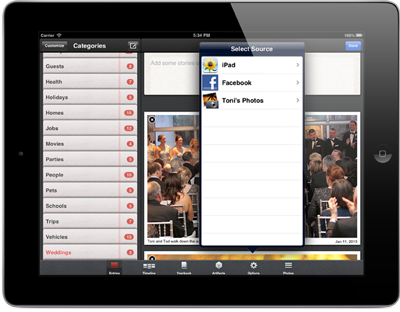
Adding photos directly from Facebook
Timebox also has direct photo add from Facebook. So if you have some photos on Facebook, you can open a new Entry or edit an existing one, tap Add Photos, then tap Facebook. Once you go through the usual iOS and Facebook app approval steps, you can wirelessly pull any photos you like from one of your Facebook albums directly into your Timebox. You can also add photos you were tagged in.
Viewing and zooming your photos
When you share a Timebox page or make an ebook, Timebox creates a PDF for you. Timebox “down samples” the photos to 300 DPI (dots-per-inch) in the PDF so the PDF doesn’t get too big. When you view the PDF on your Mac, PC, tablet or phone you can zoom in to the photos and see a lot of detail. If you’re viewing your photos in Timebox itself, you can zoom in and see the full resolution of the photos since we always retain the photos at full resolution (unlike Facebook, which downsamples them). To zoom in and pan around on any photo in Timebox, just tap the photo (except while in Edit mode).
Sharing your stories via email, posting on Facebook or Tweet
Just tap the share button and choose your method of sharing.
Timebox on all your devices
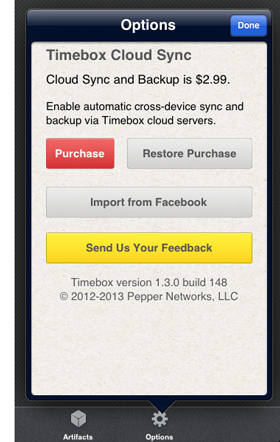
If you have some photos on your iPhone and some on your iPad, with the Timebox Cloud Sync and Backup upgrade, you can edit your Timebox entries or add photos on any device and you’ll always have a synchronized copy on your iPhone, iPad and iPod Touch. Simply tap the Options tab in Timebox and purchase the Cloud Sync and Backup upgrade for $2.99. The upgrade also comes with an additional 8GB backed up cloud storage.
Congratulations Toni and Tad!!!
* Toni and Tad’s wedding photo by Dennis Kwan Weddings.

 You can easily create a free PDF of any entry in your Timebox by taping on the share button
  while viewing an entry.
The basic ebook artifact, available on the Artifacts page, is also now free (as of version 1.3) and we will soon offer different ebook designs for $0.99.
while viewing an entry.
The basic ebook artifact, available on the Artifacts page, is also now free (as of version 1.3) and we will soon offer different ebook designs for $0.99.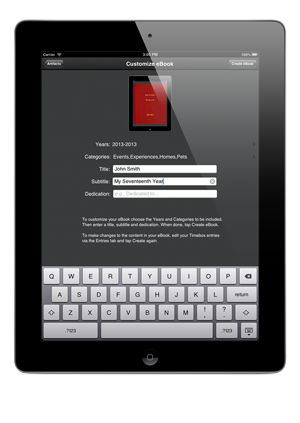 From a teacher “