 For a number of years the Library of Congress and libraries around the world have been working to raise awareness about digital archiving by institutions, communities, families and individuals. Many personal digital materials and collections are at risk for lots of reasons including natural disasters, lost passwords, equipment failure, lack of backups, etc.
The Library of Congress offers specific suggestions for keeping all sorts of personal digital materials and we think that Timebox provides a very useful tool for collecting and keeping photos and stories. Timebox is a simple-to-use, free app for personal digital archiving that can help librarians and their patrons start building their archives today.
Getting started can be the hardest part but all you have to do is add a photo or a story to Timebox and another and another…the more memories you add the more valuable your Timebox becomes.
And then there are the single-entry and ebook artifacts that you can create with the tap of a button to keep for yourself or share.
 Because we are very interested in talking to librarians about personal digital archiving we will be exhibiting at the American Library Association (ALA) Midwinter Meeting in Seattle, Jan. 25-29, booth #338.
We are also very excited to have been accepted to present a poster/demo at the Personal Digital Archiving 2013 conference that will be held at the University of Maryland Feb. 21-22.

We love libraries (maybe because our CEO has a Master’s Degree in Library and Information Science) and look forward to learning more about how we can help librarians lead their community’s archiving efforts.
 You spoke and we listened. We have taken your valuable feedback and the lessons learned, since our launch in October, to create Timebox version 1.1.
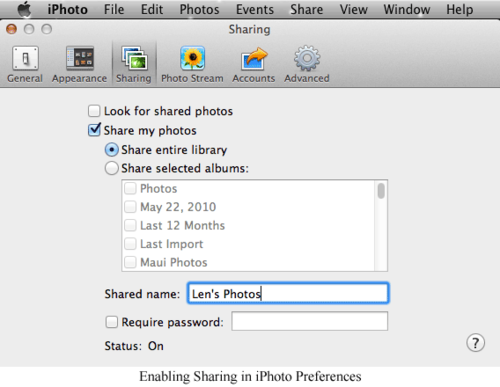
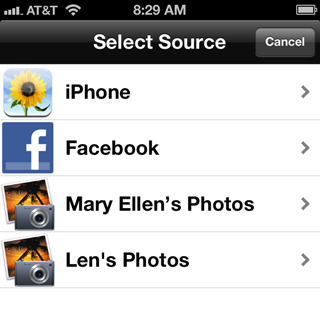 We chose photos as the first thing you could collect in your Timebox because everyone has them.
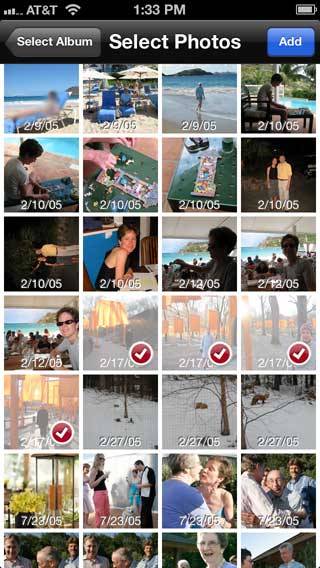 After I’ve set the date for my Timebox entry, the list of photos in the source library will automatically scroll to the photos for that date - no manual scrolling required.